DB연결해서 출력해보기!
- Mysql을 이용하여 테이블을 만들고 데이터 넣기
- 이름과 아이디를 넣어서 학점을 확인하는 페이지
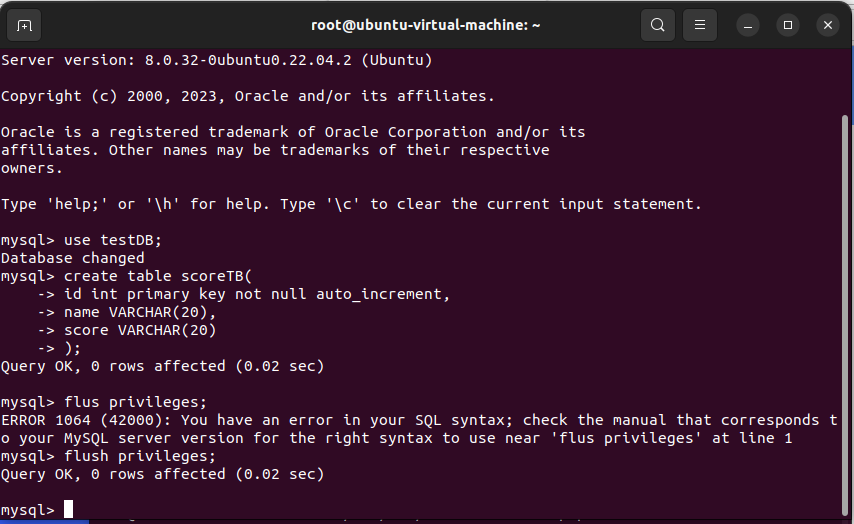
scoreTB 테이블 만들기 (Create 문)
create table scoreTB(
	id int primary key not null auto_increment,
	name VARCHAR(20),
	score VARCHAR(20)
);
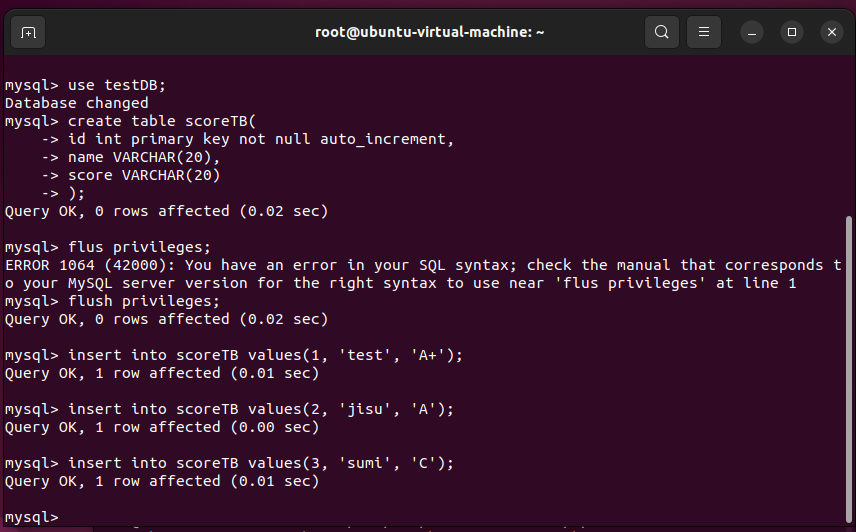
insert into scoreTB values(1, 'test', 'A+');
insert into scoreTB values(2, 'jisu', 'A');
insert into scoreTB values(3, 'sumi', 'C');
웹서버 루트 디렉토리 (/var/www/html)에 index.html, score.php 파일 만들기!

<html lang="en">
<head>
    <meta charset="UTF-8">
    <meta http-equiv="X-UA-Compatible" content="IE=edge">
    <meta name="viewport" content="width=device-width, initial-scale=1.0">
    <title>C언어 시험 점수 입력 페이지</title>
    <link rel="stylesheet" href="./style.css">
</head>
<body>
    <main id="wrap">
        <section>
            <h1>C언어 시험 점수 </h1>
            <form name="form" action="score.php" method="post" id="form">
                <p>
                    <input type="text" name="name" placeholder="이름"/>
                </p>
                <p>
                    <input type="number" name="id" placeholder="아이디 번호"/>
                </p>
                <p>
                    <input type="submit" value="Submit" class="form_btn">
                </p>
            </form>
        </section>
    </main>
</body>
</html>

<?php
    $userid = $_POST['id'];
    $con = mysqli_connect('localhost','admin','PW','testDB') or die('DB Connect Fail');
    $sql = "select * from scoreTB where id = '$userid';";
    $rst = mysqli_query($con, $sql);
    $array = mysqli_fetch_array($rst);
?>
<!DOCTYPE html>
<html lang="en">
<head>
    <meta charset="UTF-8">
    <meta http-equiv="X-UA-Compatible" content="IE=edge">
    <meta name="viewport" content="width=device-width, initial-scale=1.0">
    <title>점수 확인</title>
    <link rel="stylesheet" href="./style.css">
</head>
<body>
<main id="wrap">
        <section>
            <h1>C언어 점수 확인</h1>
            <form name="form" action="score.php" method="get" id="form">
                <p>
                    <?php echo $array['name']?>의 점수는
                </p>
                <p>
                    <h1> <?php echo $array['score'] ?> !!</h1>
                </p>
                <p class="form_btn"><a href="index.html">Back</a></p>

            </form>
        </section>
    </main>
</body>
</html>
※ mysqli_connect('localhost','ID','PW','Table'); --> DB에 연결하는 명령어
결과!! (URL : localhost 입력)

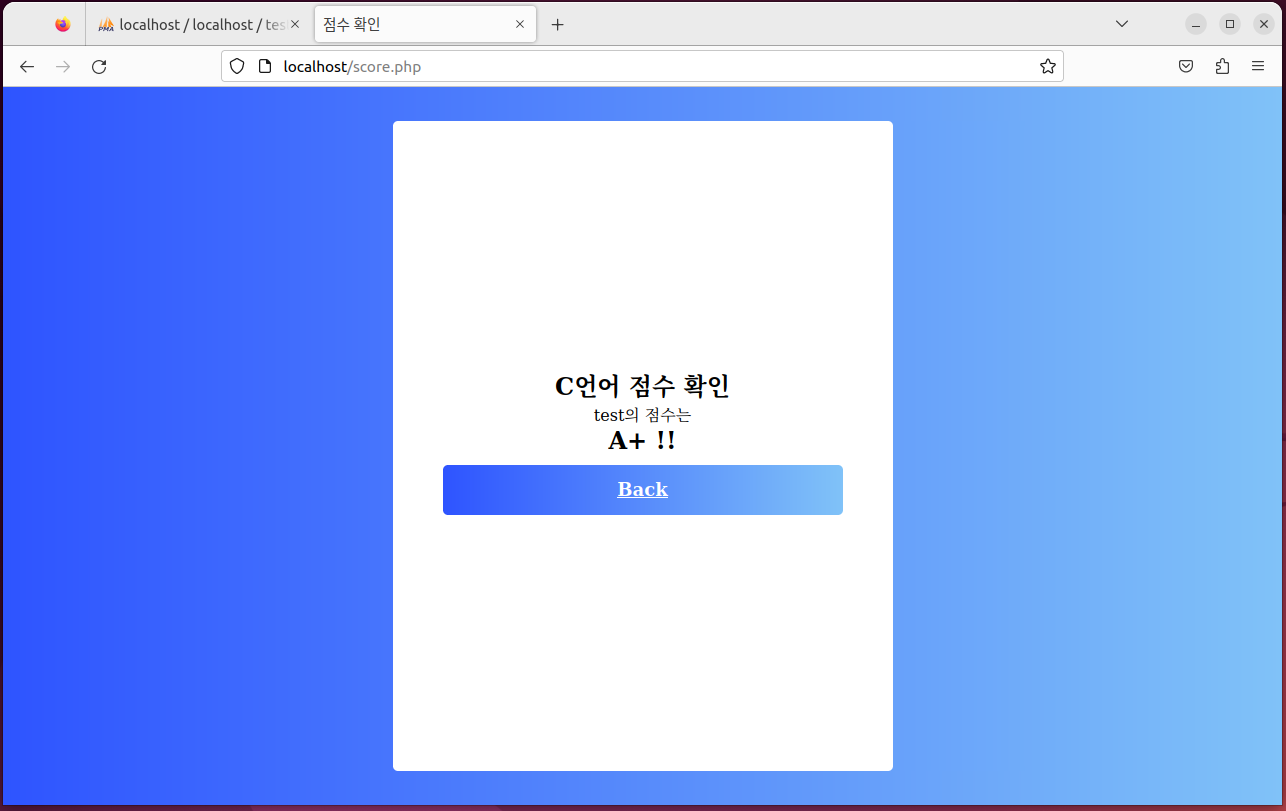

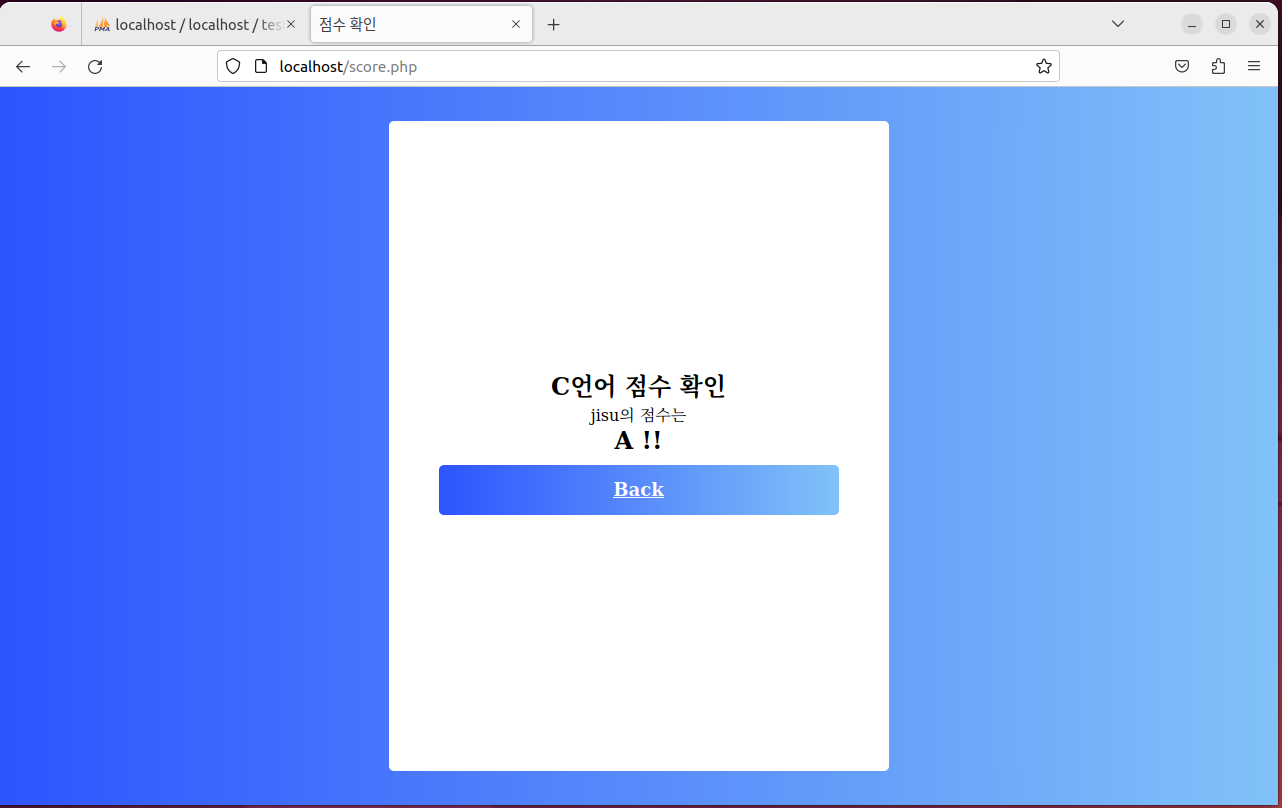
MySQL에 연결 성공!! 그리고 DB안에 있는 이름과 아이디를 통해 점수를 가져오는 것을 확인했다
'모의해킹 공부 > WEB 개발' 카테고리의 다른 글
| [4주차 과제-1] 회원가입 - 주소 검색 기능 구현 (0) | 2023.04.26 |
|---|---|
| [2주차 과제 -2] 로그인 & 메인 페이지 구현 (0) | 2023.04.08 |
| [2주차 과제 -1] 회원 가입 페이지 구현 (0) | 2023.04.08 |
| [1주차 과제-2] Happy Hacking & GET / POST Method (0) | 2023.04.01 |
| [1주차 과제 -1] 리눅스 환경에 APM환경 세팅하기 (0) | 2023.04.01 |


